⚡ Try NordPass, Save up to 53% on NordPass Premium + get 3 months extra and experience enterprise-grade password security at an affordable price. Features include zero-knowledge encryption, cross-platform sync, and breach monitoring.
🔑 SecureKeyGen⚔️ TitanPasswords🛡️ Best Password Generator🔐 Free Strong Password⚡ Instant Password🗝️ Iron Vault Keys🔑 Random Pwd Tool🛡️ Trusty Password
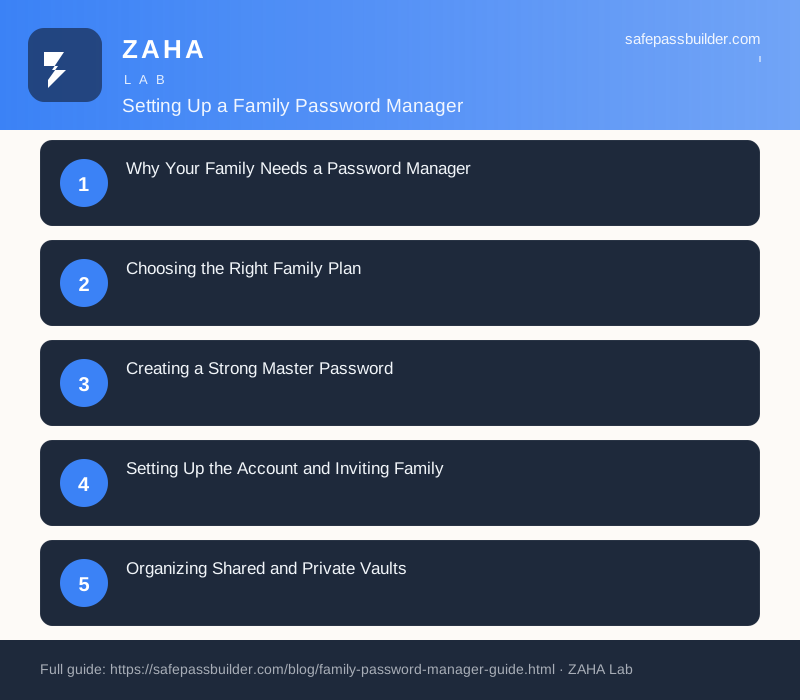
Why Your Family Needs a Password Manager
The average household now juggles dozens of online accounts: streaming services, online banking, school portals, shopping sites, email, social media, and smart home devices. Each of these deserves a unique, complex password, yet most families fall back on reusing the same handful of weak passwords across everything. This habit creates a dangerous chain reaction. If one website suffers a data breach, attackers can use those stolen credentials to access every other account sharing the same password. A family password manager solves this problem by securely storing all your credentials in one encrypted vault, generating strong unique passwords automatically, and making them available to the right family members on every device.
Beyond security, a shared password manager brings practical convenience to busy households. Parents can share the Wi-Fi password or a streaming login without texting it back and forth. Spouses can access shared financial accounts during an emergency. And as children grow, you can teach them healthy digital habits in a controlled environment. The goal is not just protection from hackers, but a calmer, more organized digital life for everyone under your roof.
Choosing the Right Family Plan
Most reputable password managers offer dedicated family subscriptions that cover five to six individual accounts under a single bill. These plans are far more economical than buying separate licenses and include features designed specifically for households. When comparing options, look for the following essential capabilities:
Separate private vaults for each family member so personal accounts stay confidential
Shared folders for items everyone needs, like the home Wi-Fi password or a shared subscription
Cross-platform support covering Windows, macOS, iOS, Android, and major web browsers
Strong encryption, specifically end-to-end AES-256 encryption with a zero-knowledge architecture
Emergency access so a trusted person can reach your vault if something happens to you
Built-in security auditing that flags weak, reused, or compromised passwords
Pay close attention to the phrase "zero-knowledge." It means the company storing your data cannot actually read it, because decryption happens only on your devices using your master password. This is the single most important security guarantee a password manager can offer, and any service worth trusting your family's data to will have it.
Creating a Strong Master Password
Your entire vault is protected by one master password, so it must be both strong and memorable. Because you can never recover a forgotten master password in a true zero-knowledge system, you should never lose it either. The best approach is a passphrase: a string of four or five random words combined with numbers and symbols. Something like "Purple-Tractor-River-92-Cloud" is far stronger and easier to remember than a short jumble of characters. Avoid using birthdays, pet names, or anything a stranger could guess from your social media.
Once you have created your master password, write it down on paper and store it somewhere physically secure, such as a home safe or a safety deposit box. This may feel counterintuitive, but a paper backup kept offline is safe from hackers and protects you from being permanently locked out of every account you own.
Setting Up the Account and Inviting Family
Begin by having one person, usually the most tech-comfortable adult, create the family plan and become the account organizer. From the admin dashboard, you can send email invitations to each family member. Every person then creates their own account with their own private master password. This structure is important: even within a family, each individual should control a personal vault that others cannot see. Shared access happens deliberately through shared folders, not by everyone using one login.
After everyone has joined, install the apps and browser extensions on each device your family uses. The browser extension is where the daily magic happens, automatically filling in login forms and offering to save new passwords as you create accounts. Encourage every family member to install it on their phones and computers so the system becomes smooth rather than a chore.
Organizing Shared and Private Vaults
Thoughtful organization turns a password manager from a storage closet into a well-run filing system. Create shared folders based on who needs access to what. A common structure looks like this:
Household for Wi-Fi, smart home devices, and utility accounts everyone uses
Entertainment for streaming and gaming subscriptions shared across the family
Finances shared only between parents or partners for banking and bills
Kids for children's school logins and age-appropriate accounts parents help manage
Keep deeply personal items, such as individual email or private social accounts, in personal vaults rather than shared folders. The principle of least privilege applies even at home: share only what genuinely needs sharing. As you go, use the password manager's generator to replace old weak passwords with strong unique ones, working through your most important accounts first.
Teaching Children Good Password Habits
A family password manager is an excellent teaching tool. Younger children can have parent-managed accounts where you control access entirely. As teenagers mature, you can give them their own vault and gradually hand over responsibility while still maintaining oversight where appropriate. Use this opportunity to explain why unique passwords matter, what phishing looks like, and why they should never share their master password with friends. These lessons build digital literacy that will protect them for the rest of their lives.
Maintaining Security Over Time
Setting up the password manager is the beginning, not the end. Schedule a quarterly family security check to keep your defenses strong. During this review, run the built-in security audit to find weak or reused passwords and fix them. Enable two-factor authentication on the password manager itself and on your most critical accounts like email and banking, adding a second layer of protection beyond the master password. Check for any breach alerts the manager has flagged, and update those credentials immediately.
Finally, revisit your emergency access settings and make sure a trusted family member can reach essential accounts if you become unavailable. By treating your password manager as a living part of your household routine rather than a one-time setup, you give your entire family lasting protection, peace of mind, and a genuinely simpler digital life.
We use cookies to improve your experience. Learn more
🔗 Recommended Security Tools
We earn a commission if you purchase through these links, at no extra cost to you.