⚡ Try NordPass, Get NordPass - 2 year Premium/Family Plan and experience enterprise-grade password security at an affordable price. Features include zero-knowledge encryption, cross-platform sync, and breach monitoring.
🔑 SecureKeyGen⚔️ TitanPasswords🛡️ Best Password Generator🔐 Free Strong Password⚡ Instant Password🗝️ Iron Vault Keys🔑 Random Pwd Tool🛡️ Trusty Password
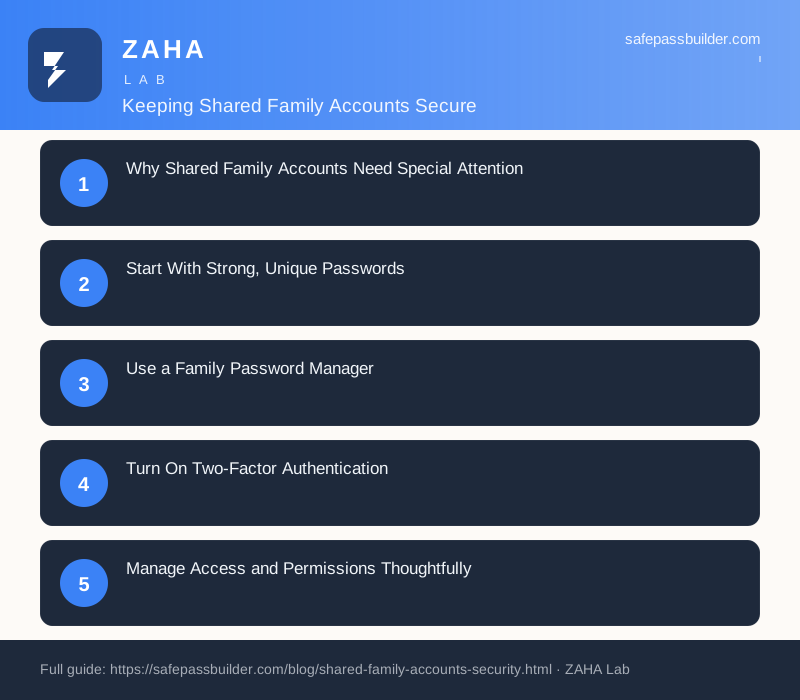
Why Shared Family Accounts Need Special Attention
Shared family accounts have become a normal part of modern household life. From streaming services and grocery delivery to online banking, password managers, and cloud photo libraries, families increasingly pool access to digital services for convenience and cost savings. While sharing makes sense financially and practically, it also creates a wider attack surface. Every person who uses an account represents another potential point of failure, whether through a weak password, a phishing email, or a device left unlocked. When one account is compromised, the consequences can ripple across everyone who depends on it.
The challenge with family accounts is that security responsibility becomes diffuse. When everyone owns the account, often no one truly manages it. Passwords get reused, recovery information goes stale, and nobody notices suspicious activity until something goes wrong. Building a few consistent habits as a household can dramatically reduce these risks while keeping the convenience that made sharing appealing in the first place.
Start With Strong, Unique Passwords
The foundation of any secure account is a strong, unique password. Families often fall into the trap of using a single memorable password across multiple services, or choosing something easy like a pet's name, a birthday, or a street address. These choices feel convenient, but they are exactly what attackers target first. If one service suffers a data breach, reused credentials let intruders walk straight into your other accounts.
Instead, aim for long passphrases that mix unrelated words, numbers, and symbols. A phrase like "Maple-River-Cactus-72" is both easier to remember and far harder to crack than a short complex string. The most important rule is that every account gets its own distinct password. Consider these practices when setting them up:
Make each password at least 12 to 16 characters long.
Avoid personal details that someone could find on social media.
Never reuse a password across financial, email, and shopping accounts.
Change passwords immediately if you learn a service has been breached.
Use a Family Password Manager
Remembering dozens of unique passwords is impossible for most people, which is why a password manager is one of the best investments a family can make. Many password managers offer family plans that let you securely share specific logins with household members while keeping personal accounts private. This means you can give your teenager access to the streaming service without exposing the family bank login.
A good password manager generates strong random passwords, stores them in an encrypted vault, and fills them in automatically so no one is tempted to write credentials on sticky notes or in a phone's notes app. Look for features that support your household's needs:
Encrypted shared folders for grouping family logins by category.
Individual vaults so each person keeps their own private passwords.
Emergency access in case a family member is unavailable.
Built-in alerts that flag weak, reused, or breached passwords.
Once a password manager is in place, the household no longer needs to verbally share or text passwords, which removes one of the most common ways credentials leak.
Turn On Two-Factor Authentication
Two-factor authentication, often called 2FA or multi-factor authentication, adds a second layer of protection beyond the password. Even if an attacker steals or guesses a password, they still cannot log in without the second factor, which is usually a code from an app, a text message, or a physical security key. For shared family accounts, this single step blocks the vast majority of unauthorized access attempts.
Whenever possible, choose an authenticator app over text-message codes, since SMS can be intercepted through SIM-swapping attacks. For high-value accounts such as primary email and banking, a hardware security key offers the strongest protection. The complication with family accounts is deciding who holds the second factor. A practical approach is to designate one or two trusted adults as account administrators who manage the 2FA settings and can generate codes when others need access.
Manage Access and Permissions Thoughtfully
Not everyone in a family needs the same level of access. Most platforms now support sub-profiles, child accounts, or tiered permissions that let you tailor what each person can see and do. A young child does not need purchasing power on a shopping account, and a guest staying temporarily does not need permanent access to your home network credentials.
Take time to review the access settings on your most important services and assign roles deliberately. Useful steps include:
Create individual profiles rather than having everyone share one login.
Restrict purchasing and payment changes to adult administrators.
Enable parental controls and spending limits for children's profiles.
Remove access promptly when someone no longer needs it.
Periodically auditing who has access helps you catch old accounts belonging to former roommates, ex-partners, or adult children who have moved out and set up their own services.
Keep Recovery Information Current
Account recovery options are a frequently overlooked security weak point. If the recovery email or phone number attached to a shared account belongs to someone who has left the household or changed their number, you may find yourself locked out at the worst possible moment. Worse, an outdated recovery contact could allow someone outside the family to reset the password and seize control.
Review the recovery settings on your key accounts and make sure they point to addresses and numbers the family actively controls. Store backup codes in your password manager rather than on paper that can be lost, and confirm that at least one trusted adult can complete the recovery process if needed.
Build Safe Habits Across the Household
Technology alone cannot keep accounts secure if family members fall for scams or leave devices exposed. Phishing emails, fake login pages, and urgent text messages claiming an account is locked are designed to trick people into handing over credentials. Talk openly with everyone in the household, including children and older relatives, about recognizing these tactics and slowing down before clicking links or entering passwords.
Reinforce a few simple everyday habits that protect shared accounts:
Lock phones, tablets, and computers with a PIN, password, or biometric.
Log out of shared accounts on public or borrowed devices.
Verify unexpected messages by visiting the official site directly.
Report anything suspicious to the household's account administrator.
By combining strong passwords, a shared password manager, two-factor authentication, thoughtful permissions, current recovery details, and good daily habits, your family can enjoy the convenience of shared accounts without sacrificing security. Treat digital safety as a shared responsibility, revisit your settings a few times a year, and your household will stay protected against the most common threats.
We use cookies to improve your experience. Learn more
🔗 Recommended Security Tools
We earn a commission if you purchase through these links, at no extra cost to you.