🔍 Dark Web Monitoring for Families in 2026: How to Check If Your Passwords Have Been Stolen
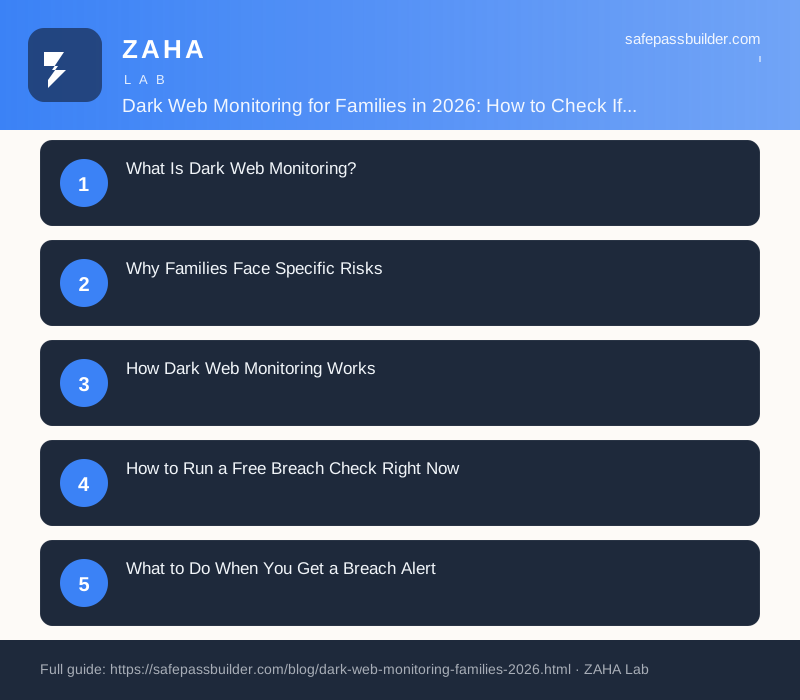
On this page
Over 15 billion stolen credentials are currently circulating on dark web marketplaces, and most of the people whose passwords appear there have no idea. Dark web monitoring for families is a service that scans these hidden databases for your email addresses and alerts you the moment a family member's credentials surface in a breach, so you can change the password before anyone else uses it.
For families, the risk goes beyond one person. A school email leaked in an education platform breach, a child's gaming account exposed via a compromised game studio, a parent's work email turning up in a corporate database dump: any of these can cascade into account takeovers if the passwords are reused. Understanding dark web monitoring, and setting it up properly, stops that cascade before it starts.
What Is Dark Web Monitoring?
The dark web is a part of the internet not indexed by standard search engines, accessible only through specialist software. It hosts a significant volume of criminal infrastructure, including marketplaces where stolen credentials are bought and sold in bulk after data breaches. A single breach at a major platform can put hundreds of millions of email-password pairs on sale within days.
Dark web monitoring services maintain automated crawlers that index these marketplaces. They compare the indexed data against a database of email addresses you register with them. When your email appears in a new dataset, you get a notification: which site was breached, what type of data was exposed (password, name, date of birth, phone number), and how old the breach data is.
This is not a theoretical protection. The CISA (Cybersecurity and Infrastructure Security Agency) states plainly: "Credential theft is the leading initial access technique in reported incidents. Monitoring for exposed credentials gives organisations and individuals an early warning window that can prevent account compromise." For families, that early warning window is the difference between a minor inconvenience (changing a password) and a serious incident (a child's social media account hijacked, a family bank account drained through credential reuse).
Why Families Face Specific Risks
Individual adults can manage their own breach notifications. Families face a harder problem: multiple people, multiple email addresses, multiple age groups, and a high likelihood that a teenager's gaming account password matches their school portal password.
Three factors make family exposure worse than individual exposure:
| Risk Factor | Why It Matters for Families |
|---|---|
| Children reuse passwords | A leaked gaming account password often matches a school portal or email login; one breach opens up several accounts |
| Multiple email addresses per household | Each family member has their own email; monitoring one does not cover the others |
| Education platform breaches | School and homework platforms have been heavily targeted since 2023; children's credentials appear in breaches parents never hear about |
| Long gap before discovery | NCSC data indicates the average time between a credential breach and victim awareness is 197 days in the UK |
| Elderly family members | Grandparents may share email addresses or use simple, guessable passwords that appear across multiple breached datasets |
A family password manager addresses password reuse directly, but a password manager alone does not tell you when a site you use has been breached. Dark web monitoring fills that gap.
How Dark Web Monitoring Works
Monitoring services operate in three steps: collection, matching, and alerting.
Collection
Automated systems index newly published breach datasets, paste sites (where hackers publish stolen data publicly), and closed dark web forums where credentials are traded. The largest services process tens of thousands of new records daily. The datasets are hashed for storage; the service compares your email's hash against the hashed breach data without ever needing to store your actual email in plaintext alongside stolen passwords.
Matching
When a new breach dataset is indexed, every registered email address is checked against the new data. Matching is done at the email level. Some services also match against phone numbers and usernames if you provide them. A match does not mean your current password is exposed; it means your email appeared in a breach, and the breach may include a password that was valid at the time of the breach.
Alerting
You receive a notification describing: the site or service that was breached, the date of the breach, and what data types were included (password, full name, date of birth, phone, IP address, etc.). Richer services indicate whether the password was stored in plain text (high risk), as a weak hash (moderate risk), or as a strong bcrypt/scrypt hash (lower immediate risk but still worth changing).
How to Run a Free Breach Check Right Now
The fastest starting point for any family is a free manual check. This takes about three minutes per email address.
- Go to haveibeenpwned.com (created by security researcher Troy Hunt, safe to use).
- Enter each family member's email address one at a time.
- Review the list of breaches. The site shows the name of the breached service, the date, and what data types were exposed.
- For any breach that includes passwords, treat the password used on that service as compromised and change it immediately, even if the breach is several years old.
- Check whether the same password was used anywhere else (a realistic risk for most people). Change it everywhere it appears.
For children, check their school-issued email address as well as any personal email they use for gaming sign-ups. Education sector breaches are consistently underreported, and a school email appearing in a gaming platform breach is more common than parents expect.
What to Do When You Get a Breach Alert
Speed matters. Stolen credentials are often tested by automated tools within 24-72 hours of a dataset going on sale. When you receive an alert:
- Identify the breached account. Log into the service named in the alert and change the password immediately. Use a unique password that does not appear anywhere else.
- Check for reuse. If you or your family member used the same password on other accounts, change those too. Prioritise email accounts, banking, and school portals first.
- Enable two-factor authentication (2FA). On the breached account and on any account that shared its password. Even if an attacker has the password, 2FA stops a login without a second factor. Our guide to setting up 2FA for families covers this step by step.
- Check for unauthorised activity. Log into the breached account and review recent login history (available in most email and social media account security settings). Look for logins from unrecognised locations or devices.
- Tell the family member affected. If the alert relates to your child's email, walk through the steps with them. Use it as a real-world teaching moment on why unique passwords matter.
The NCSC recommends treating every breach alert as genuine and acting on it within the same day: "Do not delay changing credentials after a breach notification. Attackers who purchase breach data run automated credential-stuffing attacks within hours of acquisition, testing the stolen email-password pairs against popular sites and services."
Setting Up Ongoing Monitoring for Your Whole Family
Manual checks on haveibeenpwned.com work well as a one-time audit, but they depend on you remembering to run them. Ongoing automated monitoring is the more reliable approach for a household with multiple email addresses.
The most practical option for families is a password manager that includes dark web monitoring as part of its subscription. NordPass includes dark web monitoring across all its plans, including its family plan, which covers up to six users. When any registered email address appears in a new breach, the relevant family member gets an in-app and email alert. The monitoring runs continuously in the background without any manual action required.
This approach also solves the password reuse problem at the same time. NordPass generates and stores unique strong passwords for every account across every family member's devices, meaning a breach of one site does not automatically compromise others.
What to look for in a family dark web monitoring service:
| Feature | Why It Matters |
|---|---|
| Monitors multiple email addresses | Each family member has their own email; a single-address service covers only part of your exposure |
| Real-time alerts | Delayed batch alerts (weekly digests) reduce the value of early warning |
| Shows breach detail | Knowing what data type was exposed (password vs email only) determines how urgently you need to act |
| Integrated password manager | Makes changing the compromised password immediate rather than a separate process |
| Coverage of education and gaming platforms | Children's primary risk comes from these sectors; some services focus only on major corporate breaches |
Prevention: The Password Layer
Dark web monitoring is a detection and response tool. It catches you after a breach has happened. The prevention layer is the password itself: whether a stolen credential can actually do anything once it is in an attacker's hands.
Two factors determine damage from a stolen credential: whether the password is reused anywhere, and whether the account has 2FA enabled.
If every account in your household uses a unique, randomly generated password, a breach at a small gaming site exposes one account at one site. Nothing else. The NIST Digital Identity Guidelines (SP 800-63B) are explicit on this point: "Verifiers should not impose composition rules or expiration periods that lead to predictable password choices. What matters most is that each authenticator credential is unique to that account and not reused."
For most families, the only practical way to achieve unique passwords across 50-100 accounts per person is a password manager. See the guide to choosing a family password manager for a full comparison of options. Combined with dark web monitoring, the setup is: unique passwords (via a password manager) so a breach cannot spread, and alerts (via monitoring) so you know when to change a specific password.
Together, these two tools cover the credential attack surface for a typical household. Neither is complicated to set up. Both run largely in the background once configured.
FAQs
What is dark web monitoring?
Dark web monitoring is a service that continuously scans dark web marketplaces, hacker forums, and breach databases for your email addresses, passwords, or other personal identifiers. When a match is found, the service sends you an alert so you can change the compromised credential before it is used against you.
Is it safe to use Have I Been Pwned?
Yes. Have I Been Pwned (haveibeenpwned.com) was created by Troy Hunt, a Microsoft Regional Director and well-known security researcher. It does not store passwords in plaintext, only hashed versions for comparison. The site has been independently reviewed by security professionals and is safe to use for checking your email addresses.
How often should I check for dark web exposure?
Manual checks via free tools are useful but rely on you remembering to run them. Password managers like NordPass include automatic dark web monitoring that checks continuously and alerts you in real time. The NCSC recommends treating breach exposure as a continuous risk to monitor rather than a one-time event.
What should I do if my child's email appears in a breach?
Change the password on the breached account immediately. If your child reused that password on other accounts (gaming, school, social media), change those too. Enable two-factor authentication on the affected account. Check whether any financial or school accounts shared the same password and update those as a priority.
Can criminals access accounts immediately after a breach?
Not always immediately, but often within days. Stolen credentials are sold in bulk and tested by automated tools. High-value breach datasets from major platforms can be exploited within hours of appearing on dark web markets. Acting the same day you receive a breach alert is the safest approach, even before you notice any suspicious activity.
This page contains affiliate links. If you purchase through these links, we earn a commission at no extra cost to you.