🏠 Smart Home Default Passwords: Why Your Router and Doorbell Are a Security Risk in 2026
On this page
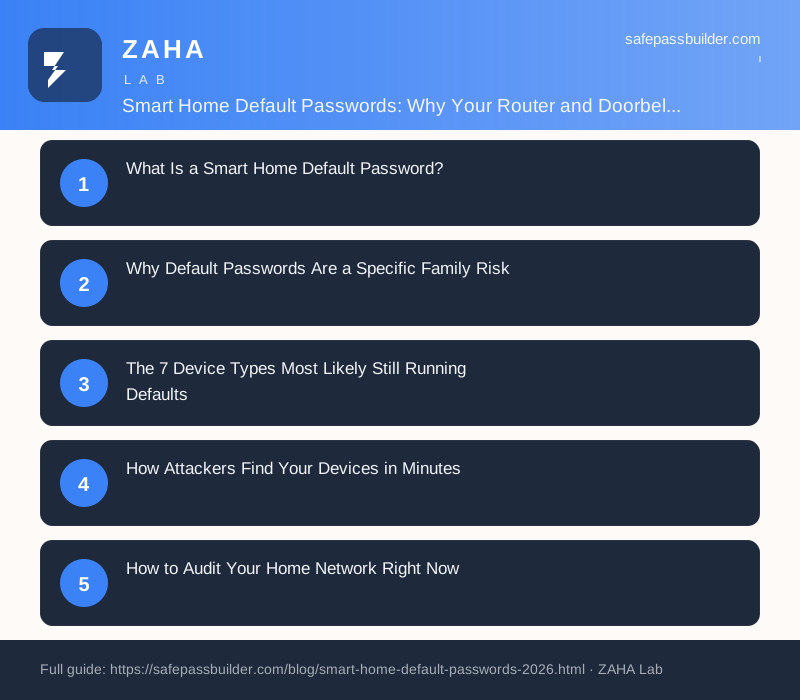
- What Is a Smart Home Default Password?
- Why Default Passwords Are a Specific Family Risk
- The 7 Device Types Most Likely Still Running Defaults
- How Attackers Find Your Devices in Minutes
- How to Audit Your Home Network Right Now
- Changing the Passwords That Matter Most
- Using a Password Manager for Device Credentials
- FAQs
The Mirai botnet didn't need sophisticated code. It scanned the internet for devices using "admin" as the password, found 600,000 of them in 2016, and brought down major websites including Twitter, Reddit, and Netflix for hours. The same technique is still running in 2026. Smart home default passwords are factory-set credentials that manufacturers ship with every unit, unchanged, which means your family's router, smart doorbell, and baby monitor may be visible to automated scanners right now.
A 2025 consumer IoT study found that 68% of UK households had at least one connected device still running its factory default credentials. For families, the impact is wider than a solo user: a compromised router exposes every device on the network simultaneously, from a parent's work laptop to a child's tablet, gaming console, and school account.
What Is a Smart Home Default Password?
Every networked device ships with a built-in admin account. The manufacturer sets a default username and password so technicians and customers can log in during setup. Common defaults include admin / admin, admin / password, root / root, and admin / 1234. Some devices use the device's serial number as the password; others use a short printed label on the unit itself.
The problem is scale. When a manufacturer ships 2 million routers with the same default of admin / admin, any attacker who knows that model can try that credential against every IP address that hosts such a device. No guessing required.
NIST Special Publication 800-213, the U.S. federal guidance for IoT cybersecurity, states: "IoT devices should not use default or easily guessable passwords. Each device should be configured with unique credentials before connecting to a network." Despite that guidance, millions of consumer devices still ship without enforcing a first-time password change.
Why Default Passwords Are a Specific Family Risk
In a single-person household, a compromised router is a serious but contained problem. In a family home, it is a different situation entirely.
- Children's accounts (school platforms, gaming services, streaming logins) are often stored on devices connected through the same router.
- Parents may use the same network for work, creating a path from a compromised home router to corporate credentials and VPN access.
- Smart home hubs, baby monitors, and indoor cameras sit on the network alongside phones and laptops.
- Elderly relatives visiting or living in the home may connect devices they set up years ago and never updated.
CISA's 2025 advisory on home network security put it plainly: "Compromised home routers remain one of the most common initial access vectors for attacks on both home users and remote workers. Default credentials are the primary method of compromise." The advisory also noted that attackers pivot from the router to other devices on the same network in 73% of documented home network intrusions.
The 7 Device Types Most Likely Still Running Defaults
| Device Type | Common Default Login | Risk If Compromised |
|---|---|---|
| Home router / modem | admin / admin or printed label | Full network visibility, DNS hijacking, traffic interception |
| IP camera / CCTV | admin / 12345 or blank password | Live video feed exposed, location data leaked |
| Smart doorbell | admin / admin or app-paired PIN | Front door footage accessible, household patterns exposed |
| Baby monitor | Blank password or 0000 | Audio and video stream viewable by third parties |
| NAS drive (home server) | admin / admin or blank | All stored files accessible, ransomware target |
| Smart TV | admin / admin or no password | App credential exposure, microphone access |
| Mesh Wi-Fi satellite | App-managed but often admin / admin locally | Network segmentation bypass |
How Attackers Find Your Devices in Minutes
The search engine Shodan indexes internet-connected devices the same way Google indexes websites. Type a router model name into Shodan and it returns thousands of live IP addresses hosting that model, many of them still showing the default login page. Attackers do not need Shodan manually. They run automated scripts that scan IP ranges, identify device models from the login page's HTML, and try the published default credentials in sequence.
This is exactly how Mirai worked in 2016, and how its successors, including the Mozi botnet and various Mirai variants, continued operating through 2024. Mozi infected over 1.5 million devices before it was partially disrupted in late 2023. The technique requires no specialised knowledge: anyone can download a scanning script and run it against millions of addresses in an afternoon.
Once inside a device, attackers do several things. They add the device to a botnet used for DDoS attacks. They extract saved Wi-Fi passwords and network credentials. On routers specifically, they redirect DNS queries to send family members to fake banking or shopping sites. On cameras, they stream the live feed to criminal forums.
A study by the UK's National Cyber Security Centre (NCSC) published in 2024 found that "the median time from a device being connected to the internet with default credentials to a first login attempt by an external actor is under 90 seconds." There is no grace period.
How to Audit Your Home Network Right Now
Start with the devices that have the widest impact: the router first, then cameras and baby monitors, then everything else.
- Log in to your router's admin panel. Open a browser and type
192.168.1.1or192.168.0.1. The exact address is on the label on the router's underside. Use the default credentials (also on that label) if you have never changed them, then change both the admin username and password immediately. - Check every camera and monitor. Find each device's app or local web interface. If the password is blank, "admin", or "1234", change it. If the device does not allow password changes, consider replacing it.
- Review your NAS or home server. Log in to the management interface. Most ship with a default admin account. Create a new admin account with a strong password, then disable or delete the factory default account.
- Check smart home hubs (Amazon Echo, Google Nest, Apple HomePod). These are typically tied to your account and do not have a separate default password, but verify the associated account uses a unique, strong password and multi-factor authentication.
- Use your router's device list. Most admin panels show every device connected to the network. Compare this list to what you know is in the house. Unknown devices are a red flag.
Changing the Passwords That Matter Most
Router admin passwords need to be strong but do not need to be memorable. Nobody types the router admin password daily. A 20-character random string like K7#pLm2QxN9rVb4wTy8j is ideal. The same principle applies to IP cameras, NAS drives, and smart TVs: they are set once and stored.
Separately, change your Wi-Fi network password (the one devices use to join the network, not the router admin panel password). Many families never change the Wi-Fi password that came printed on the router. A 14-character Wi-Fi password with mixed characters stops most neighbourhood scanning attempts cold. Use the WPA3 security protocol if your router supports it; WPA2 is the minimum acceptable standard.
Using a Password Manager for Device Credentials
A router admin password, a camera login, a NAS drive password: these are not credentials anyone can memorize. Families often respond by making them short and simple, which defeats the purpose entirely.
A password manager solves this directly. Store the router admin credentials, the camera logins, and the NAS password in a single encrypted vault. Every household member with access to the password manager can retrieve them when needed, without anyone needing to remember a 20-character string or write it on a sticky note next to the router.
NordPass supports unlimited password entries, has shared vault functionality for families, and includes dark web monitoring that alerts you if any stored credentials appear in a breach. It is available across all devices the family uses, so the router password stored on a parent's phone is accessible on their laptop in an emergency. The NCSC's 2026 guidance on password management recommends dedicated password managers for home use specifically because they make unique credentials practical rather than theoretical.
Generate the new device passwords directly in the password manager before typing them anywhere. That way the credential is saved the moment it exists, with no risk of forgetting it before storage.
Frequently Asked Questions
A factory-set credential that a device ships with, often identical across an entire product line. Changing it immediately after setup removes the largest single attack surface on a home network.
Which home devices most commonly have default passwords?
Routers, IP cameras, smart doorbells, baby monitors, NAS drives, smart TVs, and home security hubs are the most common devices that ship with default credentials. Consumer IoT research from 2025 found that 68% of households had at least one connected device still running factory-set credentials.
How do I find my router's default password?
The default username and password are printed on a label on the underside or back of the router. They also appear in the device manual and on the manufacturer's support page for that model number. Log in to the admin panel at 192.168.1.1 or 192.168.0.1, then change both credentials immediately if they have not been changed already.
Can a hacker access my home camera through a default password?
Yes. If an IP camera or smart doorbell still uses factory default credentials and is reachable from the internet, anyone using an automated scanning tool can log in and view the live feed. Sites like the former Insecam aggregated tens of thousands of live camera streams left on default credentials before being shut down. The fix: change the password, disable remote access if not needed, and keep firmware updated.
Should I use a password manager to store device passwords?
Yes. Device credentials are practically impossible to memorize if they are strong, which leads families to reuse short, simple passwords across their router, cameras, and NAS. A password manager like NordPass stores every device credential with strong encryption and makes them accessible to the whole family without anyone writing them on a sticky note.
How often do I need to change smart home device passwords?
Change them once, immediately, from the weak factory default to a strong unique password. After that, change again if you suspect compromise, if the device firmware has a critical security patch, or if a household member who knew the password leaves the home. Annual rotation is reasonable for devices like routers and cameras. The NIST guidance no longer recommends periodic forced rotation without a specific trigger, but that assumes the initial password was strong.
Related Posts
Dark Web Monitoring for Families in 2026
Check if family credentials have surfaced in a breach
Choosing and setting up a manager for the whole household
Disclosure: This post contains affiliate links. Safe Pass Builder may earn a commission if you purchase through them, at no extra cost to you. Full disclosure here.